How to Handle Partial Shipments in Dropshipping Orders
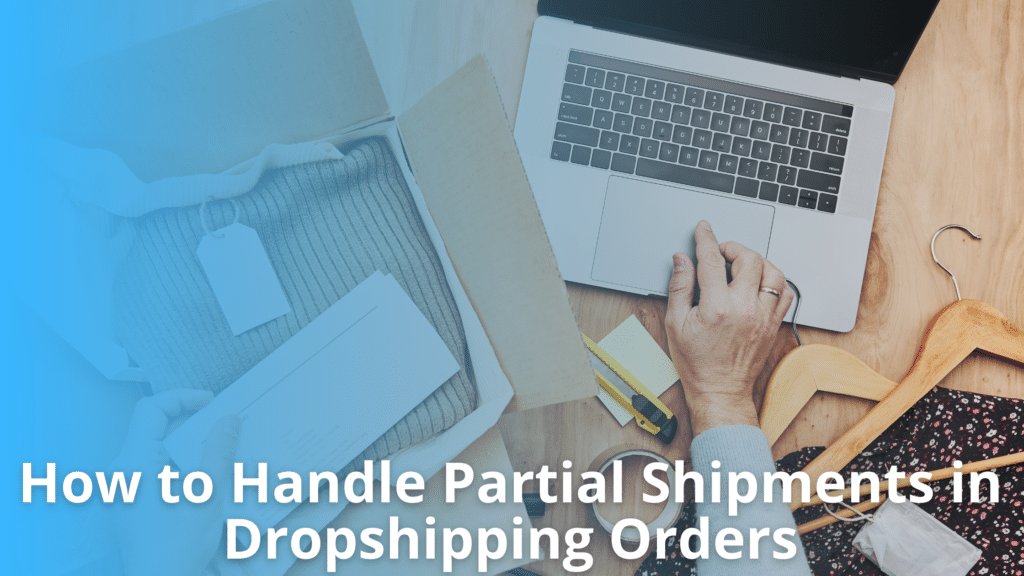
Why Partial Shipments Need a Controlled Process
Partial shipments are common when one customer order contains products fulfilled by different suppliers, warehouses, or shipping services. Separate fulfillment times can cause customers to receive multiple packages for the same order. Partial shipment management requires clear order records, accurate tracking updates, customer notifications, and defined fulfillment status rules.
Each shipment should be tracked separately while remaining linked to the original order. This supports partial fulfillment and split shipment tracking without losing the overall order status. Proper control also helps manage multiple tracking numbers and improves dropshipping order tracking across suppliers.
What Is a Partial Shipment?
A partial shipment occurs when only some items in a customer’s order are shipped while the remaining items are still pending. In a complete shipment, all ordered items are processed and sent together under the same fulfillment flow. With partial fulfillment, an order may be divided into multiple shipments based on supply and processing conditions.
Common causes are:
- Different supplier locations – Items may come from suppliers or warehouses in different regions.
- Stock availability – One product may be in stock while another requires replenishment.
- Warehouse processing times – Products may have different handling or packing times.
- Product-specific shipping methods – Oversized, fragile, or restricted products may require separate carriers or services.
Partial shipment management requires each shipment to remain linked to the original customer order. The order record should show which items were shipped, which remain pending, and the status of each package.
This supports accurate inventory records and split shipment tracking. It also allows systems to store multiple tracking numbers against one order. Customers can then receive clear dropshipping order tracking updates for each package without losing the connection to the original order.
Why Partial Shipments Occur in Dropshipping
Partial shipments occur when items in one customer order cannot be shipped together due to differences in suppliers, warehouses, stock levels, or processing times.
Multiple Suppliers and Warehouses
In a dropshipping model, one customer order may contain products sourced from two or more suppliers. Each supplier may have its own warehouse, shipping process, and carrier.
- Different suppliers – An electronics item may come from one supplier while a home accessory comes from another. Each supplier ships its assigned item separately.
- Warehouse locations – The same supplier may store products in different warehouses. Items held at separate locations can leave at different times.
- Separate fulfillment flows – Each supplier receives and processes only the items assigned to it. This creates a partial fulfillment when one part of the order ships before the rest.
- Tracking requirements – The store may receive multiple tracking numbers, making split shipment tracking important for keeping each package linked to the same customer order.
Inventory and Processing Differences
Stock levels and processing times can also cause an order to ship in parts. Even when products are ordered at the same time, suppliers may not be ready to ship them together.
- Different stock status – One item may be in stock while another is on backorder. The available product can ship first.
- Supplier handling times – One supplier may process an order the same day, while another needs two business days before handing it to a carrier.
- Carrier schedules – Different pickup times can create further delays between shipments.
- Order tracking – Dropshipping order tracking must show each shipment separately so customers can see which items have shipped and which are still being processed.
Map the Original Order to Each Shipment
Partial shipment management requires every package to remain connected to the original customer order. When an order is split across suppliers or warehouses, each shipment should be recorded as a separate fulfillment record while retaining the same order ID. This creates a clear link between the customer order, shipped items, and remaining items.
The system should store the following data for each shipment:
- Original order ID – Identifies the customer order linked to the shipment.
- Supplier or warehouse – Shows where the items were fulfilled.
- SKU and quantity – Records the exact products and units included in the package.
- Shipment ID – Gives each package a unique reference for tracking.
- Carrier – Identifies the shipping provider handling the package.
- Tracking number – Supports shipment-level tracking and multiple tracking numbers when one order has several packages.
- Shipment date – Records when the package was handed to the carrier.
- Fulfillment status – Shows whether the shipment is pending, shipped, delivered, or affected by an exception.
- Remaining unshipped quantity – Shows how many units from the original order still need fulfillment.
This structure supports accurate partial fulfillment because the system does not treat the first shipment as the complete order. For example, if an order contains five SKUs and only three are shipped, the order remains open until the other two are fulfilled or cancelled.
It also improves split shipment tracking by giving support teams a package-level view. They can identify what has shipped, which carrier is handling each package, and what remains pending without checking separate systems. This makes dropshipping order tracking more accurate and reduces incorrect customer updates.
Establish Partial Fulfillment Rules
Stores need clear rules for partial shipment management before automating order processing. These rules should define when available products can ship and when an order should remain on hold.
- Ship available items immediately – Send ready-to-ship products without waiting for delayed items. This works well for fast-moving products where customers expect quick delivery.
- Hold the complete order – Keep all items together when separate deliveries would increase shipping costs or create a poor customer experience.
- Split orders by supplier – When products come from different suppliers, allow each supplier to fulfill its items based on availability and processing time.
- Split orders by warehouse – Route available items from different warehouses when this reduces delivery time or improves stock use.
- Set backorder rules – Define how long backordered products can remain open, when they should be canceled, and when customers should be offered an alternative.
- Define customer notifications – Notify customers when an order is split, a product is delayed, or additional tracking details become available. Multiple tracking numbers should be linked clearly to the original order.
The right partial fulfillment rule depends on product type, shipping cost, customer expectations, and supplier capabilities. For example, low-cost products may be shipped separately, while bulky items may be held to avoid extra freight charges. Document these rules before automation so order routing and split shipment tracking follow consistent conditions.
Manage Multiple Tracking Numbers
In partial shipment management, each shipment may have its own tracking number. Recording and displaying these details correctly helps customers and support teams track every package.
Store Tracking Data at Shipment Level
Store tracking details for each shipment separately to preserve accurate delivery data when one order moves through multiple fulfillment events.
- Shipment record – Create a separate record for every package created during partial fulfillment.
- Carrier name – Store the shipping carrier linked to that specific package.
- Tracking number – Assign the unique tracking number to the related shipment.
- Shipped items – Record the products and quantities included in each package.
- Shipment date – Save the date when each shipment leaves the supplier.
- Delivery status – Track statuses such as shipped, in transit, delivered, or delayed.
- Order reference – Link every shipment to the original order without replacing its tracking history.
- Status updates – Update shipment records as carriers report new events.
Display Tracking Clearly to Customers
Customers should see each package as a separate shipment within the order page. The tracking view should identify the items included in each package, carrier name, tracking number, shipment date, and current delivery status.
This approach makes split shipment tracking easier to understand when products arrive at different times. For example, if an order contains five items and two packages are shipped separately, customers should see which three items belong to the first package and which two belong to the second.
Email notifications should provide the same shipment details, while the order page should retain the complete tracking history for reference.
Keep Inventory and Fulfillment Status Accurate
When an order ships in parts, each SKU must have its own inventory and fulfillment status. Accurate updates prevent duplicate shipments, stock errors, and customer confusion.
- Reduce inventory only for shipped quantities – Under partial shipment management, deduct inventory only for the units that have actually shipped. If a customer orders 5 units and 2 ships, the system should reduce inventory by 2, not 5.
- Keep unshipped quantities open – The remaining 3 units should stay open for fulfillment. This supports accurate partial fulfillment and prevents the system from treating pending items as completed.
- Update shipment status separately – Record each shipment against the specific SKUs and quantities included. When an order uses multiple tracking numbers, each tracking number should connect to the correct shipment.
- Avoid completing the full order too early – The order should remain partially fulfilled until every item is shipped. Marking it complete after the first shipment can stop later fulfillment actions.
- Reconcile supplier inventory after shipment – Compare shipped quantities with supplier inventory updates. This helps identify stock changes that may affect the remaining items.
- Track remaining quantities – Maintain the open quantity for every SKU until fulfillment is complete. Accurate split shipment tracking gives teams a clear view of what has shipped and what is still pending.
Incorrect status updates can trigger duplicate shipments, inaccurate stock records, and customer service issues. Reliable dropshipping order tracking keeps inventory, shipments, and customer updates aligned.
Build Reliable Split Shipment Tracking
A reliable tracking system links every shipment to its parent order, keeping fulfillment progress clear across suppliers, carriers, and customers.
- Link shipments to the parent order – Assign each shipment a unique shipment ID while keeping the original order ID as the parent reference. This creates a clear relationship between the order, shipped items, and tracking details.
- Track each shipment separately – Each package should have its own status, carrier, tracking number, shipped items, and delivery date. This is essential when one order uses multiple tracking numbers from different suppliers or carriers.
- Use standard shipment statuses – Apply consistent stages such as Shipment Created, In Transit, and Delivered. Standard statuses make split shipment tracking easier across different carrier systems.
- Maintain the overall order status – The parent order should reflect the state of all items. For example, an order becomes Partially Fulfilled when some items ship, then Fully Fulfilled when all items are delivered or completed.
- Calculate status from remaining items – Update the individual shipment first. Then check which order items remain unfulfilled. This supports accurate partial fulfillment and improves dropshipping order tracking.
- Keep pending items visible – Mark unshipped products as Remaining Items Pending. This helps support teams identify what still needs supplier action under partial shipment management.
Handle Customer Communication
Clear communication is a key part of partial shipment management. Customers should know when an order is split across multiple packages and which items are still pending. This prevents confusion when only part of an order arrives.
- Partial shipment confirmation – Send a message when the first package leaves the supplier. Clearly list the items included in that shipment.
- Item-level tracking – Provide a tracking number for each shipped item or package. This supports accurate split shipment tracking when one order has multiple tracking numbers.
- Estimated delivery dates – Show the expected delivery date for each package instead of giving one date for the entire order.
- Remaining item status – Identify items that have not shipped and provide their current status, such as processing, awaiting stock, or ready for dispatch.
- Separate delivery notifications – Send a delivery message when each package arrives. Do not mark the entire order as delivered if only one package has arrived.
- Final order completion notice – After all items are delivered, send a final confirmation that the complete order has been fulfilled.
Accurate dropshipping order tracking should explain why customers may receive separate packages. The order status should match the actual shipment status at item level. This approach reduces support requests and gives customers a clear view of the remaining partial fulfillment.
Manage Supplier and Carrier Delays
Partial shipment management requires teams to track each shipment separately when one order is handled by multiple suppliers or carriers. A single order may have multiple tracking numbers, different pickup dates, and separate delivery timelines. Treating the order as one delivery event can hide delays.
Teams should monitor these delay points:
- Supplier processing delays – Contact the supplier when an item has not shipped within the agreed processing time. Check for stock issues, order errors, or backorders.
- Carrier pickup delays – If a shipment is marked as ready but has no carrier scan, confirm pickup status with the supplier or carrier.
- Missing tracking updates – Review tracking data when no scan appears within the expected update window.
- Stalled shipments – Escalate when a package shows no movement for a defined period, such as 48 to 72 hours.
- Delivery exceptions – Review failed delivery attempts, address issues, or carrier holds and contact the customer when action is required.
- Backordered products – Ask the supplier for a confirmed restock date before setting a new delivery expectation.
For effective partial fulfillment, set time-based rules. For example, flag unshipped items after 24 hours, investigate stalled tracking after 48 hours, and escalate unresolved shipments after 72 hours. Customer updates should be sent when a delay affects the promised delivery date.
Automate Partial Shipment Workflows
Automation can reduce manual work when one order is shipped in separate packages. A defined partial shipment management workflow should update each shipment without changing the status of items that are still pending.
- Supplier shipment updates – Capture shipment confirmations from each supplier and create separate shipment records for the items shipped.
- Tracking synchronization – Sync tracking numbers, carriers, and shipment dates with the store. This supports accurate split shipment tracking when an order has multiple packages.
- Item-level fulfillment status – Mark individual items as shipped, in transit, or delivered. Keep unshipped quantities open for partial fulfillment.
- Customer notifications – Send updates that clearly show which items have shipped and include multiple tracking numbers when required.
- Delivery confirmation – Update the order when each package is confirmed as delivered rather than waiting for the full order to arrive.
- Exception alerts – Flag missing tracking data, failed updates, delayed shipments, or supplier errors for review.
- Remaining quantities – Track the exact number of items still awaiting shipment and keep these quantities active until fulfilled.
Automation should follow defined rules for each status change and notification. Test the workflow with orders containing two or more suppliers before applying it across the full catalog.
Build a Consistent Process for Split Fulfillment
Partial shipment management requires every shipment to remain linked to its original order. Track each package separately using multiple tracking numbers, update inventory based on the quantity shipped, and keep customers informed at each stage. Clear fulfillment rules, shipment-level tracking, supplier monitoring, and automation help prevent duplicate orders and incorrect status updates.
These controls become more important when stores use several suppliers or warehouses, where products may follow different shipping paths. A consistent process supports partial fulfillment and reliable dropshipping order tracking while keeping order data accurate across suppliers, shipments, and customer updates.
Discover the Power of Inventory Source
Recent Articles
Supplier SLA Management for Ecommerce – KPIs, Alerts & Escalation Rules
Learn how supplier SLA management works for ecommerce, covering measurable service targets, performance KPIs, warning and breach thresholds, automated monitoring, and escalation rules that turn supplier commitments into reliable operating controls.
Ecommerce Order Exception Management – Errors, Retries & Escalations
Learn how ecommerce order exception management handles failed orders, covering error classification, pre-submission validation, safe retry automation, duplicate prevention, escalation rules, fulfillment monitoring, and metrics to keep automated ordering reliable as volume grows.
Supplier Feed Change Management – Prevent Broken Mappings and Catalog Errors
Learn how to manage supplier feed changes after integration, using a baseline spec, change detection, mapping protection, version control, controlled deployment, and monitoring to prevent broken mappings and catalog errors.