Best Ecommerce Automation Software Compared (2026)
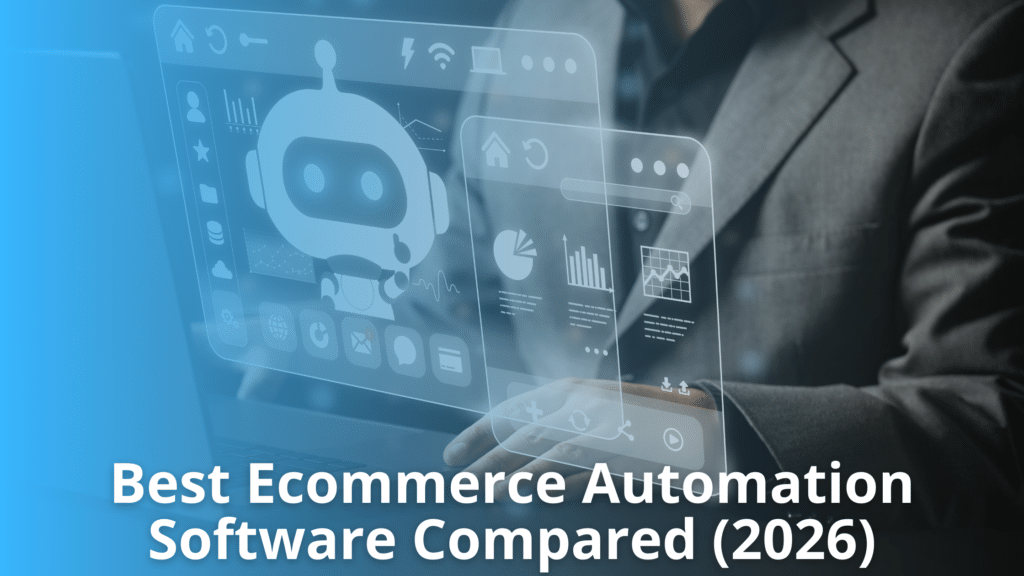
As ecommerce businesses expand across multiple sales channels and supplier networks, manual operations become difficult to manage. Automation software helps streamline inventory updates, order processing, product management, pricing, and fulfillment while improving operational accuracy.
This blog compares the essential capabilities of leading automation platforms and explains the factors businesses should evaluate before making a decision. It also outlines how automation supports scalability, reduces manual work, and improves overall ecommerce performance.
Understanding Ecommerce Automation Software
Modern ecommerce businesses manage multiple systems, suppliers, and sales channels. Understanding how automation works helps businesses improve efficiency, reduce manual tasks, and maintain accurate operations as they continue growing.
What Ecommerce Automation Software Does
Ecommerce automation software helps businesses manage repetitive operational tasks without constant manual effort. It connects ecommerce platforms, suppliers, marketplaces, and other business systems to keep information synchronized.
The software automatically updates inventory levels, product information, pricing, and order status across connected channels. It also supports order routing, shipment tracking, and data synchronization to reduce delays and errors. By automating routine processes, businesses improve operational consistency and save valuable time.
This allows teams to focus on customer service, product expansion, and business growth instead of handling repetitive administrative work. Automation also improves data accuracy across everyday ecommerce operations.
Core Business Processes That Can Be Automated
Many routine ecommerce activities can be automated to improve efficiency and reduce manual work.
Some of the common examples are:
- Inventory synchronization – Automatically updates stock availability across ecommerce stores and marketplaces whenever supplier inventory changes.
- Product catalog management – Synchronizes product titles, descriptions, images, specifications, categories, and pricing from supplier catalogs to connected sales channels.
- Order processing – Transfers customer orders to suppliers, updates order status, and records shipment information without manual data entry.
- Price updates – Applies supplier price changes across connected stores while maintaining predefined pricing rules and profit margins.
- Shipment tracking – Retrieves tracking numbers from suppliers and updates customers through connected ecommerce platforms.
These automated workflows improve operational accuracy and reduce processing time. Businesses also benefit from fewer inventory discrepancies, faster order fulfillment, and more consistent product information.
As operations expand across multiple suppliers and sales channels, automation provides greater visibility and supports scalable ecommerce management without increasing manual workload.
Why Ecommerce Businesses Need Automation
As ecommerce operations become more complex, automation helps businesses improve efficiency, reduce repetitive tasks, maintain accurate data, and support consistent growth across multiple sales channels.
Reducing Manual Work and Operational Errors
Manual processes often increase workload and create opportunities for costly mistakes. Ecommerce automation software helps businesses complete repetitive tasks more accurately and efficiently.
- Automatically updates inventory levels to reduce overselling and stock discrepancies.
- Synchronizes product information, pricing, and availability across connected sales channels.
- Automates order routing to suppliers, reducing manual order entry and processing delays.
- Minimizes pricing, inventory, and fulfillment errors caused by outdated data.
- Frees employees from repetitive administrative work, allowing them to focus on customer service, supplier management, and business improvement initiatives.
Accurate automation improves operational consistency while reducing the risk of human error.
Supporting Business Growth Through Process Automation
Business growth often increases the number of products, suppliers, customers, and sales channels that must be managed. Automation helps businesses scale without adding unnecessary manual work.
- Connect multiple suppliers, ecommerce platforms, and marketplaces through centralized workflows.
- Process higher order volumes without significantly increasing operational effort.
- Keep inventory, pricing, and product information synchronized across every connected channel.
- Speed up product launches by automating catalog imports and product updates.
- Improve customer satisfaction through faster order processing and accurate inventory availability.
- Generate reports that help businesses monitor inventory, sales performance, and operational efficiency.
- Reduce delays by automating routine workflows that previously required manual approval or data entry.
As operations expand, ecommerce automation software provides a structured way to manage increasing complexity. Businesses can maintain consistent processes, improve accuracy, and support long-term growth while reducing administrative overhead and operational inefficiencies.
Essential Features to Compare
Selecting the right platform requires evaluating the features that directly improve efficiency, accuracy, scalability, and integration across daily ecommerce operations and business workflows.
Inventory Automation
Inventory automation keeps stock levels updated across connected sales channels using supplier inventory data. This reduces overselling, prevents stock discrepancies, and improves inventory accuracy. Good ecommerce automation software should support scheduled or real-time inventory synchronization, warehouse management, low-stock alerts, and inventory rules to help businesses maintain reliable product availability while reducing manual updates.
Order Automation
Order automation streamlines the complete fulfillment process by routing orders to suppliers, tracking order status, and updating shipment information automatically. This reduces manual processing time and minimizes fulfillment errors. Businesses should evaluate support for multiple suppliers, automated order routing, tracking synchronization, exception handling, and centralized order management across ecommerce stores and marketplaces.
Product Data Automation
Product data automation keeps product titles, descriptions, specifications, images, categories, and attributes consistent across sales channels. It simplifies catalog management and reduces manual editing. Businesses should look for tools that support product mapping, category assignments, bulk updates, supplier catalog synchronization, and standardized product information to improve data quality and operational efficiency.
Pricing Automation
Pricing automation updates product prices based on supplier cost changes, pricing rules, or predefined margins. This helps maintain profitability while reducing manual calculations. Businesses should evaluate support for markup rules, minimum advertised price compliance where applicable, promotional pricing, automatic cost updates, and price synchronization across ecommerce platforms and marketplaces.
Reporting
Reporting provides visibility into inventory performance, order activity, sales trends, supplier performance, and operational efficiency. Clear reports help businesses identify issues and make informed decisions. Useful reporting features include customizable dashboards, exportable reports, inventory history, fulfillment metrics, pricing analysis, and performance tracking across multiple channels from a centralized interface.
Workflow Customization
Workflow customization allows businesses to configure automation based on their operational requirements. Users can define rules for inventory synchronization, order routing, pricing updates, product filtering, and notifications. Flexible workflows reduce repetitive tasks while supporting different supplier processes, business models, and operational priorities without requiring constant manual intervention.
Multi-Channel Management
Multi-channel management enables businesses to manage products, inventory, pricing, and orders across multiple ecommerce platforms and marketplaces from one system. This improves consistency and operational control. Businesses should evaluate synchronization accuracy, channel compatibility, centralized management tools, and the ability to support future expansion without increasing manual administrative work.
Best Ecommerce Automation Software Compared (2026)
The right ecommerce automation platform requires evaluating core features, integration capabilities, scalability, and workflow flexibility to support efficient operations and long-term business growth.
Comparing Leading Automation Platforms and Their Strengths
Every business has different operational needs. The best ecommerce automation software depends on business size, supplier network, sales channels, and automation requirements. Comparing platforms objectively helps businesses select a solution that fits their workflow instead of choosing based only on price.
Consider the following comparison factors:
- Automation capabilities – Evaluate whether the platform automates inventory synchronization, product imports, pricing updates, order routing, shipment tracking, and customer notifications.
- Integration coverage – Check compatibility with ecommerce platforms, online marketplaces, suppliers, ERP systems, PIM solutions, and shipping providers. Wider integration support reduces manual work.
- Scalability – Businesses planning to expand should choose software that can support additional suppliers, larger catalogs, higher order volumes, and multiple sales channels without major changes.
- Workflow flexibility – Some platforms allow custom automation rules, supplier-specific settings, inventory filters, and order routing based on business requirements.
- Reporting and visibility – Built-in dashboards, inventory reports, order status tracking, and performance metrics help businesses monitor daily operations and identify issues quickly.
No single platform is ideal for every business. Some focus on supplier integration, while others emphasize marketplace automation, AI-driven workflows, or fulfillment management. Understanding these strengths allows businesses to select software that aligns with operational priorities and long-term ecommerce growth.
Choosing the Right Solution Based on Business Requirements
Selecting the right automation platform begins with understanding how your business operates today and how it is expected to grow. While many solutions provide similar core features, they differ in automation depth, integration options, supplier connectivity, reporting, and scalability.
Comparing these areas helps businesses choose software that supports both current operations and future expansion.
Define Your Operational Priorities
Start by identifying the processes that consume the most time or create the highest risk of errors.
Common priorities:
- Inventory synchronization across multiple suppliers.
- Automated product imports and catalog updates.
- Order routing and fulfillment automation.
- Multi-channel selling across ecommerce platforms and marketplaces.
- Pricing updates and inventory availability management.
- Shipment tracking and customer notifications.
A clear understanding of business priorities makes software comparisons more meaningful.
Inventory Source
Inventory Source is designed for businesses that rely on supplier integrations and inventory automation. Rather than acting as a supplier, it connects retailers with thousands of suppliers while automating inventory synchronization and order processing.
Its strengths:
- Large supplier directory with thousands of verified suppliers.
- Automated inventory updates from integrated suppliers.
- Product data synchronization across supported ecommerce platforms.
- Order automation for participating supplier integrations.
- Strong support for businesses managing supplier relationships.
Inventory Source is well suited for retailers that want to simplify supplier management while reducing manual inventory maintenance.
Flxpoint
Flxpoint focuses on advanced automation for businesses managing multiple suppliers, warehouses, distributors, and sales channels. It provides flexible workflow automation for more complex ecommerce operations.
Key strengths include:
- Advanced inventory and order orchestration.
- Multi-supplier inventory management.
- Custom workflow automation.
- Product information management capabilities.
- Support for complex routing and fulfillment logic.
- Broad integration options for growing ecommerce operations.
Flxpoint is appropriate for businesses with expanding operations that require configurable automation across multiple systems.
AutoDS
AutoDS is widely used by businesses focused on marketplace and supplier automation, particularly those working with marketplace-based sourcing models.
Its strengths include:
- Automated product importing.
- Inventory and pricing synchronization.
- Order automation.
- Product research features.
- AI-assisted content and workflow tools.
- Marketplace-focused automation.
It is suitable for businesses that prioritize product sourcing and marketplace selling while benefiting from built-in automation tools.
Ordoro
Ordoro combines order management with shipping and inventory control. It is often selected by businesses handling fulfillment across several sales channels.
Its capabilities:
- Centralized order management.
- Shipping label generation.
- Inventory tracking.
- Warehouse management support.
- Shipping carrier integrations.
- Basic automation for fulfillment operations.
Ordoro works well for businesses where shipping efficiency is a primary operational focus.
Spark Shipping
Spark Shipping specializes in supplier connectivity and automated dropshipping workflows.
Its strengths:
- Supplier inventory synchronization.
- Automated order transmission.
- Inventory monitoring.
- Product feed management.
- Multi-supplier support.
- Flexible integration options.
It is commonly used by retailers managing several dropshipping suppliers that require automated inventory updates.
Other Ecommerce Automation Platforms
Several additional platforms also serve specific business requirements.
Examples:
- Solutions focused primarily on inventory management.
- Platforms designed around order management workflows.
- Software specializing in marketplace integrations.
- Enterprise systems with broader ERP capabilities.
- Product information management platforms for complex catalogs.
Each platform emphasizes different operational needs. Businesses should compare capabilities carefully before making a decision.
Compare Integration Capabilities
Software should integrate with the systems already used by the business.
Evaluate support for:
- Ecommerce platforms.
- Online marketplaces.
- Supplier systems.
- ERP software.
- Product information management systems.
- Order management systems.
- Shipping carriers.
- Accounting software.
Strong integration reduces manual data entry and improves operational consistency.
Evaluate Automation Depth
Not all platforms automate the same processes.
Consider whether the software supports:
- Real-time inventory synchronization.
- Automatic product creation.
- Scheduled pricing updates.
- Automated order routing.
- Shipment tracking updates.
- Supplier-specific automation rules.
- Exception handling.
- Workflow customization.
Greater automation can reduce operational effort as order volumes increase.
Consider Scalability
Business requirements often change over time.
Evaluate whether the platform can support:
- Additional suppliers.
- Larger product catalogs.
- Higher order volumes.
- Multiple warehouses.
- International operations.
- Additional sales channels.
- More complex automation workflows.
Selecting scalable software reduces the need for future system replacements.
Assess Reporting And Support
Reliable reporting helps businesses monitor inventory accuracy, order performance, supplier activity, and operational efficiency.
Also review:
- Customer support availability.
- Implementation assistance.
- Product documentation.
- Training resources.
- Ongoing software updates.
Strong vendor support helps businesses resolve issues more efficiently and maintain reliable operations.
Selecting the right ecommerce automation software requires evaluating functionality, integrations, automation capabilities, scalability, reporting, and vendor support together.
Comparing platforms against actual business requirements helps organizations invest in software that supports efficient operations and long-term growth.
Integration Capabilities Across Ecommerce Systems
Modern ecommerce operations depend on connected systems that exchange accurate data automatically, improving efficiency, visibility, and consistency across business processes.
Connecting Suppliers, Marketplaces, and Ecommerce Platforms
Reliable integrations enable businesses to exchange data automatically between suppliers, sales channels, and ecommerce platforms with greater operational efficiency.
- Automate inventory synchronization – Connect suppliers with ecommerce platforms to automatically update inventory levels, pricing, product details, and availability. This helps prevent overselling, stock discrepancies, and outdated product information across every connected sales channel.
- Centralize order processing – Ecommerce automation software collects orders from multiple marketplaces and online stores, then routes them to the correct supplier. This reduces manual order handling, speeds fulfillment, and improves order accuracy.
- Maintain consistent product data – Synchronize product descriptions, images, specifications, categories, and pricing across marketplaces and ecommerce platforms. Consistent product information improves customer experience and simplifies catalog management as the business expands.
Supporting ERP, PIM, OMS, and Other Business Applications
Business applications work more effectively when data moves automatically between operational systems without repeated manual updates or duplicate records.
- Integrate ERP systems – Connect enterprise resource planning software to share inventory, purchasing, financial, and operational data. This improves visibility across departments and supports better planning using consistent business information.
- Connect PIM and OMS platforms – Integrate Product Information Management and Order Management Systems to maintain accurate product content, streamline order workflows, and keep information synchronized across all connected sales channels.
- Enable connected business operations – Ecommerce automation software can integrate with CRM, accounting, shipping, warehouse, and reporting systems. These connections reduce duplicate data entry, improve process efficiency, and provide a unified view of business operations.
Automation Challenges and Common Limitations
Successful automation depends on accurate data and reliable integrations. Identifying common technical challenges helps businesses improve system performance and reduce operational issues.
- Maintain accurate product data – Incorrect product descriptions, pricing, stock levels, or images can spread across connected systems. Regular data validation and monitoring help maintain consistency and reduce customer complaints.
- Ensure compatible integrations – Different suppliers, ecommerce platforms, and marketplaces use different data formats and connection methods. Verify compatibility before implementation to avoid synchronization failures and manual corrections.
- Monitor synchronization performance – Scheduled updates may occasionally fail because of supplier feed changes, API limits, or network interruptions. Continuous monitoring allows businesses to identify problems early and restore normal operations quickly.
- Standardize business workflows – Suppliers often use different product categories, naming conventions, and inventory structures. Standardizing data improves reporting, simplifies management, and reduces processing errors across multiple systems.
Planning for Growth Without Creating Operational Bottlenecks
- Choose scalable solutions – Select ecommerce automation software that can support additional suppliers, products, sales channels, and order volumes without requiring major system changes.
- Review automation rules regularly – As operations expand, existing workflows may no longer meet business needs. Periodic reviews help improve efficiency and ensure automation continues supporting changing operational requirements.
- Balance automation with oversight – Automation handles repetitive tasks effectively, but human review remains important for exceptions, supplier issues, pricing decisions, and customer service situations that require judgment.
How to Choose the Right Automation Platform
Selecting the right platform requires evaluating business needs, technical capabilities, future growth plans, and integration requirements before making an investment.
Evaluating Features, Scalability, and Vendor Support
Choose a solution that meets current operational needs while providing flexibility to support future business growth and changing ecommerce requirements.
- Review core automation features – Compare inventory synchronization, order routing, product updates, pricing automation, and reporting capabilities. Ensure the ecommerce automation software supports the daily processes your business performs.
- Assess scalability – Confirm the platform can handle increasing order volumes, additional suppliers, new sales channels, and expanding product catalogs without reducing system performance.
- Evaluate integration options – Verify compatibility with ecommerce platforms, marketplaces, suppliers, shipping providers, ERP systems, and other business applications to reduce manual work.
- Check vendor support – Look for responsive customer support, implementation assistance, product documentation, training resources, and regular software updates that help maintain reliable operations.
Matching Platform Capabilities to Business Goals
The selected platform should support business objectives, improve operational efficiency, and provide tools that align with both short-term and long-term growth plans.
- Define operational priorities – Identify whether inventory management, order automation, supplier integration, pricing updates, or multi-channel selling is the highest business priority before comparing solutions.
- Consider future expansion – Select software that can support additional suppliers, warehouses, marketplaces, and international operations as the business continues to grow.
- Balance functionality and cost – Compare available features against pricing to ensure the platform delivers measurable value without paying for unnecessary capabilities.
- Measure long-term benefits – Evaluate how the solution improves efficiency, reduces manual tasks, increases data accuracy, and supports sustainable business growth over time.
Best Practices for Successful Automation Implementation
Successful automation depends on careful planning, accurate data, proper system configuration, and regular monitoring to ensure reliable long-term business performance.
- Prepare clean and accurate data – Review product information, inventory records, pricing, and supplier details before implementation. Clean data reduces errors and improves automation accuracy across connected systems.
- Start with essential workflows – Automate core processes such as inventory synchronization, order routing, product updates, and shipment tracking first. Expand automation gradually after confirming stable performance.
- Verify system integrations – Ensure your ecommerce automation software integrates properly with ecommerce platforms, suppliers, marketplaces, and business applications. Test every connection before moving to live operations.
- Monitor automation regularly – Review synchronization logs, order status, inventory updates, and error reports on a regular schedule. Early monitoring helps identify issues before they affect customers.
- Train internal teams – Ensure employees understand workflows, automation rules, exception handling, and reporting tools. Well-trained teams can manage automated operations more efficiently and respond quickly when manual action is required.
Conclusion
Selecting the right ecommerce automation software requires careful evaluation of your current operations and future business plans. Compare each platform based on integrations, automation capabilities, scalability, reporting, supplier connectivity, and ease of management. Consider how well the solution supports multiple sales channels, growing product catalogs, and increasing order volumes.
A platform that aligns with your operational needs can simplify daily processes, improve data accuracy, and support consistent business performance as your ecommerce operations continue to expand.
Discover the Power of Inventory Source: An Introduction Video
Recent Articles
Supplier Order Cutoff Times – How They Affect Ecommerce Fulfillment
Learn how supplier order cutoff times affect ecommerce fulfillment, covering cutoff versus processing time, delivery promises, order automation, managing multiple suppliers across time zones, and the metrics that keep dispatch schedules reliable.
How to Handle Partial Shipments in Dropshipping Orders
Learn how partial shipment management works in dropshipping, covering split shipment tracking, multiple tracking numbers, item-level inventory and fulfillment status, supplier delays, customer communication, and automation, so every package stays linked to its original order.
Supplier SLA Management for Ecommerce – KPIs, Alerts & Escalation Rules
Learn how supplier SLA management works for ecommerce, covering measurable service targets, performance KPIs, warning and breach thresholds, automated monitoring, and escalation rules that turn supplier commitments into reliable operating controls.