ERP vs Inventory Management Software – What’s the Difference?
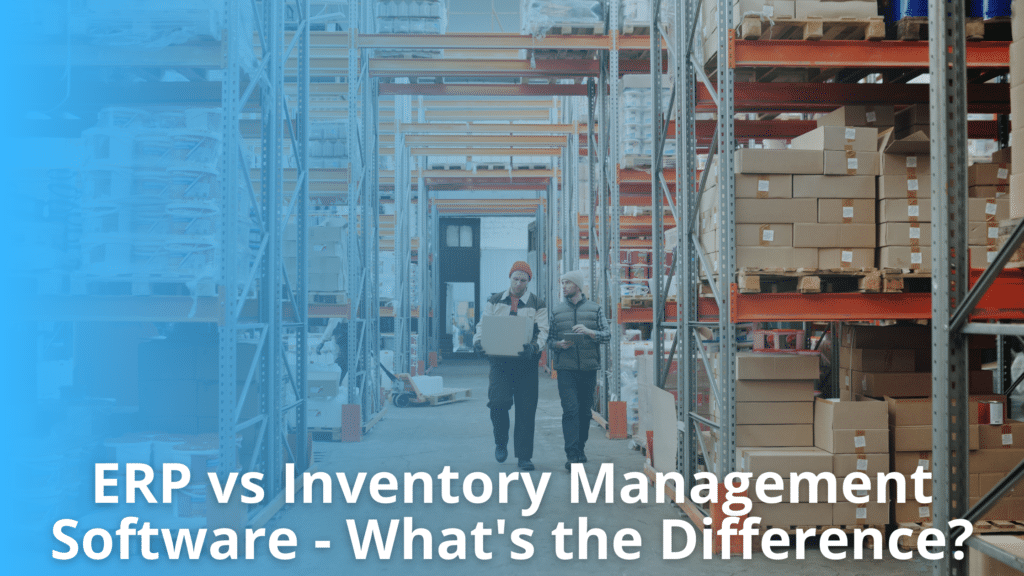
Modern businesses use software to manage inventory, purchasing, orders, and daily operations more effectively. However, selecting the right solution can be challenging because different systems serve different purposes. Understanding ERP vs inventory management helps businesses identify which software best supports their operational needs and future growth. ERP systems manage multiple business functions from a single platform, while inventory management software focuses on inventory control and stock movement.
This guide explains their key differences, compares core features, and outlines when each solution is most suitable. A clear understanding of both options helps businesses improve efficiency , automate processes, and make informed technology decisions.
Understanding ERP Systems
An Enterprise Resource Planning (ERP) system connects core business functions into one platform, helping organizations manage operations, data and resources more efficiently.
What is an ERP System?
An ERP system is business software that centralizes important processes across multiple departments. It allows businesses to manage finance, purchasing, inventory, sales, manufacturing, human resources and reporting from a single platform. Instead of using separate systems, employees access shared, real-time data that improves communication and reduces duplicate work.
ERP systems automate routine tasks, standardize workflow, and provide better visibility into business performance. They also support informed decision making through reporting and analytics. As businesses grow, ERP systems help manage increasing operational complexity while improving efficiency, accuracy, and coordination across different teams and business functions.
Core Business Functions Managed by ERP
An ERP system connects multiple business functions into one platform, allowing departments to work with the same data and improving operational efficiency.
- Finance and accounting – Manages account, invoices, budgeting, financial reporting, and cash flow from a centralized system.
- Procurement and purchasing – Tracks suppliers, purchase orders, approvals, and incoming goods to support accurate inventory planning.
- Inventory and warehouse management – Monitors stock levels, inventory movement, warehouse activities, and replenishment across locations.
- Sales and order processing – Processes customer orders, tracks fulfillment, manages shipping, and maintains order records.
- Reporting and analytics – processes customer orders, tracks fulfillment, manages shipping, and maintains order records.
- Reporting and analytics – Provides real-time dashboards and business reports to support informed decision-making.
When evaluating ERP vs Inventory management, businesses should understand that ERP systems manage broader business operations beyond inventory alone.
Understanding Inventory Management Software
Inventory management software helps businesses maintain accurate stock records, reduce manual work, and improve inventory visibility. It supports efficient purchasing, storage, fulfillment, and inventory control across multiple sales channels.
What Is Inventory Management Software?
Inventory management software is a system that tracks, manages, and updates inventory throughout the supply chain. It helps businesses monitor stock levels, manage purchase orders, synchronize inventory across sales channels, and reduce stock errors. The software also supports warehouse operations, improves order accuracy, and provides real-time inventory visibility for better business decisions.
Primary Functions and Business Applications
Inventory management software helps businesses monitor, organize, and control inventory throughout the supply chain. It provides real-time visibility into stock movement, helping businesses reduce manual work, improve inventory accuracy, and maintain product availability.
When comparing ERP vs inventory management, it is important to understand that inventory management software focuses specifically on inventory operations rather than managing every business function.
Its primary functions are:
- Inventory tracking – Monitor stock levels across warehouses and sales channels in real time to reduce stockouts and overstock situations.
- Order management – Update inventory automatically when customer orders are placed, shipped, returned, or canceled.
- Purchase order management – Create, track, and manage supplier purchase orders to maintain adequate inventory levels.
- Warehouse management – Improve receiving, storage, picking, packing, and shipping processes for better operational efficiency.
- Inventory forecasting – Use historical sales data and demand trends to estimate future inventory requirements and support purchasing decisions.
- Barcode and SKU management – Simplify inventory identification, product tracking, and stock counting through standardized product codes.
- Reporting and analytics – Generate reports on inventory performance, stock turnover, low-stock items, and purchasing trends to support informed decision-making.
Inventory management software is widely used by ecommerce businesses, wholesalers, distributors, manufacturers, and retailers. It also integrates with ecommerce platforms, marketplaces, shipping providers, and accounting systems, allowing businesses to automate workflows while maintaining accurate inventory records across multiple sales channels.
ERP vs Inventory Management – Core Differences
This comparison of ERP vs inventory management shows that both solutions serve different business needs. ERP systems provide organization-wide management, while inventory management software delivers dedicated inventory control with faster implementation and lower complexity.
| Comparison Area | ERP System | Inventory Management Software |
| Primary Scope | Manages multiple business functions through one centralized platform, including finance, purchasing, inventory, manufacturing, sales, and reporting. | Focuses primarily on inventory operations, including stock tracking, warehouse management, purchasing, and inventory visibility. |
| Purpose | Provides complete business management by connecting departments and improving information flow across the organization. | Improves inventory accuracy, reduces stock issues, and automates inventory-related tasks to increase operational efficiency. |
| Operational Focus | Supports organization-wide processes and helps coordinate activities between finance, procurement, inventory, customer service, and other departments. | Concentrates on inventory control, stock movement, replenishment, supplier management, and order fulfillment activities. |
| Business Functions Covered | Includes accounting, purchasing, inventory, production, human resources, customer management, reporting, and business planning. | Includes inventory tracking, warehouse operations, purchase orders, stock forecasting, barcode support, and inventory reporting. |
| Inventory Management Capabilities | Offers inventory management as one module within a broader enterprise system. Inventory features may vary depending on the ERP solution. | Provides specialized inventory features with greater depth for stock control, inventory synchronization, and warehouse operations. |
| Users | Suitable for businesses that need multiple departments to work within one integrated business system. | Suitable for businesses that mainly need accurate inventory control and efficient inventory operations. |
| Business Size | Commonly used by medium-sized and large businesses with complex operational requirements. | Well suited for small, medium-sized, and growing ecommerce businesses that want dedicated inventory management. |
| Implementation Complexity | Implementation usually requires detailed planning, data migration, employee training, and process changes because multiple business functions are involved. | Implementation is generally faster because it focuses on inventory processes and requires fewer organizational changes. |
| Deployment Time | Deployment may take several months depending on business size, customization, and integration requirements. | Deployment is typically shorter, allowing businesses to begin managing inventory more quickly. |
| Cost | Initial investment is generally higher because licensing, implementation, customization, and ongoing maintenance cover multiple business modules. | Costs are usually lower because businesses only invest in inventory management capabilities without paying for unrelated enterprise functions. |
| Scalability | Designed to support long-term business growth, multiple departments, international operations, and increasing transaction volumes. | Scales effectively for growing product catalogs, warehouses, suppliers, and ecommerce sales channels. |
| Best Use Case | Best for organizations seeking complete business management through a single enterprise platform. | Best for businesses that want specialized inventory control without implementing a full enterprise resource planning system. |
Feature Comparison
Selecting the right solution requires comparing the features that support daily inventory operations. Understanding these capabilities helps businesses evaluate ERP vs inventory management based on operational needs, warehouse complexity, and future growth.
Inventory and Warehouse Management Features
Inventory and warehouse capabilities vary depending on the software. While ERP systems manage inventory as part of broader business operations, inventory management software focuses on stock accuracy, warehouse efficiency, and fulfillment.
- Inventory tracking – Monitor stock levels in real time across warehouses, retail locations, and ecommerce channels to reduce stockouts and excess inventory.
- Warehouse management – Support receiving, put-away, picking, packing, shipping, and inventory transfers to improve warehouse productivity.
- Barcode and SKU management – Use barcode scanning and SKU tracking to improve inventory accuracy and reduce manual entry errors during daily operations.
- Purchase order management – Create, manage, and track purchase orders while monitoring supplier deliveries to maintain optimal inventory levels.
- Inventory forecasting – Analyze sales history and demand trends to estimate future inventory requirements and support better purchasing decisions.
- Multi-location inventory visibility – View inventory across multiple warehouses and fulfillment centers from a centralized dashboard, helping businesses allocate stock efficiently and fulfill customer orders faster.
Financial Management, Reporting, and Integrations
Financial management and reporting are major differences in the ERP vs inventory management comparison. ERP systems manage financial operations alongside inventory, while inventory management software focuses primarily on stock control and inventory-related processes. Integration capabilities also vary depending on business requirements.
- Financial management – ERP systems include accounting, accounts payable, accounts receivable, purchasing, budgeting, and financial reporting. Inventory management software may integrate with accounting applications instead of providing these functions directly.
- Reporting capabilities – ERP systems generate business-wide reports covering finance, procurement, sales, and operations. Inventory management software provides reports focused on stock levels, inventory turnover, order fulfillment, supplier performance, and warehouse activity.
- System integrations – Both solutions can integrate with ecommerce platforms, marketplaces, shipping carriers, and supplier systems. ERP platforms also connect with customer relationship management (CRM), human resources, manufacturing, and finance applications.
- Choosing the right approach – Businesses needing complete operational visibility may benefit from an ERP system. Companies focused on inventory accuracy, warehouse operations, and order fulfillment often find inventory management software sufficient, especially when integrated with accounting and ecommerce platforms.
Benefits of ERP Systems
Enterprise Resource Planning (ERP) systems help businesses manage multiple operations through one centralized platform. They improve visibility, streamline workflows, and support better planning across departments.
Understanding these benefits makes it easier to evaluate ERP vs inventory management when selecting software for long-term business needs.
- Centralizes business operations – ERP systems bring finance, purchasing, inventory, sales, manufacturing, and customer information into one platform. Teams access the same data, reducing duplicate records and improving communication between departments. This creates a consistent workflow and supports faster decision-making.
- Improves data accuracy – Data entered once is automatically shared across connected modules. This reduces manual entry, minimizes errors, and keeps business records accurate. Reliable information allows managers to monitor operations and make informed decisions with confidence.
- Strengthens financial management – ERP systems help manage accounting, invoicing, budgeting, purchasing, and financial reporting. Businesses can monitor expenses, revenue, and profitability from one system. This improves financial visibility and simplifies compliance with reporting requirements.
- Supports business growth – As operations expand, ERP systems can manage additional users, products, warehouses, suppliers, and locations. Businesses do not need separate systems for every department, making expansion more efficient and easier to manage.
- Automates routine processes – ERP software automates repetitive tasks such as purchase orders, invoice generation, inventory updates, and approval workflows. Automation reduces administrative work, saves time, and improves operational efficiency.
- Provides better reporting and planning – ERP systems generate real-time reports and dashboards using business-wide data. Managers can track performance, identify trends, forecast demand, and make strategic decisions based on current information rather than outdated reports.
Benefits of Inventory Management Software
Inventory management software helps businesses maintain accurate stock records, automate routine inventory tasks, and improve order fulfillment. It supports better inventory visibility, reduces manual work, and helps businesses respond quickly to changing customer demand.
- Maintains accurate inventory records – Inventory management software updates stock levels automatically after every sale, return, or purchase. This reduces manual data entry and helps prevent inventory mismatches. Accurate inventory records improve planning and reduce errors across warehouses and sales channels.
- Improves inventory visibility – Businesses can monitor inventory across multiple warehouses, stores, and ecommerce platforms from one system. Real-time visibility helps teams identify low-stock items, excess inventory, and product movement, allowing faster and more informed decisions.
- Automates routine inventory tasks – The software automates stock updates, purchase orders, reorder points, and inventory synchronization. Automation reduces repetitive work, saves time, and allows employees to focus on customer service and business growth instead of manual inventory management.
- Supports faster order fulfillment – Accurate inventory data helps ensure products are available before orders are processed. This reduces canceled orders, shipping delays, and fulfillment errors while improving the customer experience through reliable order processing.
- Reduces inventory costs – Better inventory control helps avoid overstocking and stock shortages. Businesses can purchase inventory based on actual demand, reducing storage costs, excess inventory, and unnecessary purchasing expenses.
- Provides useful reporting and forecasting – Inventory reports help businesses analyze stock performance, sales trends, inventory turnover, and purchasing patterns. These insights support better forecasting and inventory planning throughout the year.
- Integrates with business systems – Inventory management software connects with ecommerce platforms, marketplaces, shipping providers, suppliers, and accounting systems. When evaluating ERP vs inventory management, businesses often choose inventory management software when their primary goal is efficient inventory control without the broader functionality of a complete ERP system.
When to Choose ERP
Selecting the right software depends on business complexity, operational scope, and future growth. ERP systems are most suitable when multiple departments require centralized data, standardized processes, and shared business information.
Businesses with Complex Operations
Businesses with multiple departments, warehouses, or sales channels often need more than inventory tracking. An ERP system provides a unified platform that connects key business functions and improves operational visibility.
- Manage multiple business functions – ERP combines finance, purchasing, inventory, sales, manufacturing, and reporting into one system, reducing the need for separate applications.
- Support growing operations – Businesses handling multiple warehouses, suppliers, or regional locations benefit from centralized data and standardized workflows across the organization.
- Improve collaboration and reporting – Teams work with the same information, helping reduce errors, improve planning, and support faster decision-making through shared reports and dashboards.
When comparing ERP vs inventory management, businesses with complex operations should consider ERP if they require complete business management rather than inventory control alone. It offers broader functionality for organizations with expanding operational requirements.
Organizations Planning Enterprise Growth
Businesses planning long-term expansion often require a centralized system that supports multiple departments and increasing operational complexity. When evaluating ERP vs inventory management, consider the broader business requirements beyond inventory control.
- ERP systems combine finance, purchasing, inventory, sales, and reporting into one platform.
- They support multiple warehouses, business locations, and growing product catalogs.
- ERP solutions improve data visibility and help teams make informed decisions.
- They reduce duplicate data entry by connecting core business functions.
- Businesses expecting rapid growth should choose a solution that can scale with future operational and reporting needs.
When to Choose Inventory Management Software
Inventory management software is suitable for businesses that need accurate stock control without the broader functionality of a full ERP system. In the ERP vs inventory management comparison, this solution works well when inventory visibility, order processing, and supplier coordination are the primary operational needs.
- Manage inventory efficiently – Track stock levels, product movements, and warehouse quantities in real time to reduce stockouts and excess inventory.
- Support ecommerce operations – Integrate with ecommerce platforms, marketplaces, and shipping providers to synchronize inventory and automate order fulfillment.
- Simplify supplier management – Maintain accurate product data, monitor supplier inventory, and receive timely stock updates from multiple vendors.
- Reduce manual work – Automate inventory updates, purchase orders, and routine inventory tasks to improve productivity and minimize errors.
- Scale without unnecessary complexity – Businesses can expand product catalogs, warehouses, and sales channels without implementing a complete ERP solution.
- Improve inventory accuracy – Barcode scanning, stock alerts, inventory reports, and automated synchronization help maintain reliable inventory records.
Inventory management software is often the right choice for ecommerce businesses, wholesalers, distributors, and retailers whose primary focus is inventory control and fulfillment.
Companies can later integrate it with accounting, customer management, or ERP systems as business operations become more complex. This approach provides flexibility while supporting steady operational growth.
Can ERP and Inventory Management Software Work Together?
Many businesses use both ERP and inventory management software together instead of choosing one over the other. An ERP manages company-wide operations, while inventory management software focuses on stock control, warehouse activities, and inventory accuracy. Integrating both systems creates a connected workflow and reduces duplicate data entry.
- Share data automatically – Inventory levels, purchase orders, sales orders, and supplier information stay synchronized between both systems, reducing manual updates.
- Improve inventory visibility – Real-time inventory data allows businesses to monitor stock across warehouses, stores, and ecommerce channels from one connected environment.
- Support faster order fulfillment – Inventory management software updates stock immediately after orders are placed, while the ERP records financial and operational transactions.
- Reduce manual errors – Automatic data exchange minimizes incorrect inventory counts, duplicate records, and delayed updates that can affect business operations.
- Strengthen reporting – Businesses combine operational, inventory, and financial data to generate more accurate reports and make informed decisions.
- Scale more efficiently – As order volume, suppliers, and sales channels increase, integrated systems help maintain consistent processes without adding unnecessary manual work.
When evaluating ERP vs inventory management, businesses should consider whether integration is available between the two solutions. Compatible systems allow inventory, purchasing, finance, and fulfillment teams to work with the same accurate information. This improves collaboration, supports automation, and helps maintain reliable inventory records across the entire business.
Best Practices for Selecting the Right Solution
Selecting the right business software requires careful planning. Focus on operational needs, future growth, integration capabilities, and long-term value.
- Assess your business requirements – Identify the processes you want to improve, such as inventory tracking, purchasing, order management, reporting, or warehouse operations. Choose software that solves your current challenges without adding unnecessary complexity.
- Evaluate integration capabilities – Ensure the solution connects with your ecommerce platform, accounting software, shipping providers, marketplaces, and supplier systems. Strong integrations reduce manual work and improve data accuracy.
- Plan for future business growth – Select software that can support increasing order volumes, larger product catalogs, additional warehouses, and new sales channels. Scalability reduces the need for costly system replacements later.
- Compare functionality and ease of use – Review available features, reporting tools, automation options, and user experience. The system should be simple for employees to learn while providing the capabilities your business requires.
- Consider implementation and ongoing support – Evaluate setup time, data migration, employee training, technical support, and software updates. Reliable vendor support helps maintain smooth operations after implementation.
- Review total cost and long-term value – When comparing ERP vs inventory management solutions, consider subscription costs, implementation expenses, maintenance, and future upgrade requirements. Select the option that delivers the best value for your operational needs and business objectives.
Conclusion
The ERP vs inventory management decision should be based on operational complexity, inventory volume, reporting needs, and future business plans. ERP systems support finance, procurement, manufacturing, and other departments, while inventory management software focuses on stock control, warehouse operations, and order fulfillment. Choosing software that matches business requirements helps improve efficiency, data accuracy, and daily operations.
Before selecting a solution, evaluate integration options, automation features, scalability, implementation effort, user training needs, and long-term costs. A careful comparison reduces operational risks and supports sustainable business growth.
Frequently Asked Questions
What is the difference between ERP and inventory management software?
ERP vs inventory management compares complete business management with inventory-focused operations. ERP manages multiple departments, while inventory management software primarily handles stock, orders, warehouses, and fulfillment.
Can small businesses use ERP systems?
Yes. Small businesses can use ERP systems if they need integrated finance, purchasing, and operations. However, inventory management software may be more practical for simpler requirements.
Does inventory management software include accounting?
Most inventory management software does not provide complete accounting features. Instead, it typically integrates with accounting software or ERP systems to share financial and inventory data.
Can ERP integrate with inventory management software?
Yes. ERP systems can integrate with inventory management software to synchronize inventory, orders, purchasing, warehouses, and business data, improving operational efficiency and reporting accuracy.
Which solution is better for ecommerce businesses?
The right choice depends on business needs. Ecommerce businesses often start with inventory management software and adopt ERP as operations become more complex and expand.
Discover the Power of Inventory Source: An Introduction Video
Recent Articles
Distributed Warehousing for Ecommerce – How Multi-Location Fulfillment Works
Learn how distributed warehousing works in ecommerce, from placing inventory by regional demand to routing each order to the nearest location and keeping stock accurate across every warehouse, plus when the model makes sense.

How to Reconcile Orders Across Multiple Dropshipping Suppliers
How ecommerce order reconciliation matches orders, supplier confirmations, shipments, and costs across multiple dropshipping suppliers, so you catch missing fulfillments, billing gaps, and partial shipments before they reach the customer or the books.
Supplier Tracking Quality – Valid Tracking, Carrier Mapping & Status Accuracy
Learn how supplier tracking accuracy depends on valid tracking numbers, carrier mapping, and shipment status accuracy, so every fulfillment update is usable, trusted by customers, and accepted by your sales channels.